Most Amazon listings fail before a single ad dollar is ever spent.
Sellers obsess over PPC bids, traffic volume, and launch budgets — but if the listing itself doesn’t convert, you’re just paying for more people to not buy. The traffic isn’t the problem. The listing is.
A high-converting Amazon listing isn’t built by stuffing keywords or copying your top competitor. It’s built through research, positioning, visual persuasion, and systematic friction removal. This guide breaks down the complete framework — from customer research to ongoing optimization — so your listing works as hard as your ad spend.
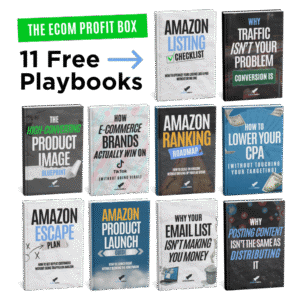
If you want the step-by-step playbooks behind this framework, grab our free Ecom Profit Box at emapdf.com — 11 practical guides covering listing optimization, product launches, creative testing, and scaling beyond Amazon.
How to Build a High-Converting Amazon Listing — Quick Summary
- Research buyer motivation from competitor reviews — not just keyword volume
- Define a clear positioning angle before writing a single word of copy
- Treat your main image as the first conversion step, not a compliance checkbox
- Structure bullet points around outcomes and objection handling — not features
- Build your image stack as a sequential sales presentation
- Use A+ content and video to reduce purchase uncertainty
- Never stop optimizing — treat your listing as a living asset, not a one-time setup

Subscribe to Evolve Media on YouTube for new videos every week.
1. Start With Real Market and Customer Research
The most common mistake in Amazon listing optimization is starting with keyword tools and treating search volume as buyer motivation. They are not the same thing.
Search volume tells you how many people typed something into a search bar. It tells you nothing about why they’re buying, what they’re afraid of, or what would make them choose your product over the ten others on the same page.
How to Research Buyer Motivation the Right Way
- Read competitor reviews — all of them. Filter for 3-star reviews specifically. These are the most honest: customers who bought, used the product, and had a nuanced reaction. “I liked it but wished it had X” — that’s your product brief and your copy brief in one sentence.
- Mine 1-star reviews for the category’s biggest pain points. Repeated complaints across multiple competitors are unmet demand. Build a listing that directly addresses those frustrations and you win by default.
- Extract the exact language customers use. The words in 5-star reviews are your bullet point copy. Customers respond to seeing their own language reflected back — it signals the product was made for people like them.
- Use tools like VOCC.ai to process thousands of reviews at scale and surface themes, sentiment clusters, and patterns without manual reading.
This same research foundation is what powers effective Amazon product research — understanding the market before you commit capital to it.

2. Define Your Product Positioning Before You Write Anything
Positioning is the strategic decision that determines what your listing is about — not what the product does, but what it means to the customer who buys it.
Most Amazon sellers skip this and write a listing that tries to appeal to everyone. The result is a listing that resonates with no one. Generic copy. Generic images. Generic positioning. And a conversion rate that reflects it.
Common Positioning Angles That Win on Amazon
- Premium quality — for buyers who’ve been burned by cheap alternatives
- Ultra-simple / effortless — for buyers who want results without a learning curve
- Designed for a specific use case — for buyers who want something made exactly for their situation
- Best value in class — for price-sensitive buyers who want quality without the premium tag
- The category challenger — “everything else on this page has X problem; we solved it”
Once you have a clear angle, everything else becomes easier. Your title leads with it. Your bullets reinforce it. Your images visualize it. Without positioning, even technically strong copy and images feel disconnected.
This principle applies equally when you’re thinking about finding your next product — positioning starts at the product selection stage, not the listing stage.
3. Optimize Your Main Image for Click-Through Rate First

Your main image is not a compliance requirement. It is the first conversion step — and arguably the highest-leverage creative decision you’ll make for your entire listing.
In Amazon search results, shoppers scan a grid of thumbnails in under two seconds. They don’t read titles. They don’t read bullets. They see a thumbnail, a price, and maybe a star rating. In that moment, your main image is doing 90% of the work.
What Makes a Main Image High-Converting
- Pure white background — RGB 255, 255, 255. Not off-white. Not light grey. Amazon penalizes non-compliant images and shoppers notice at thumbnail scale.
- Product fills 85%+ of the frame — small products look cheap. Fill the space.
- Best angle for this product specifically — not the most obvious angle. Round products sometimes read better from above. Test before you commit.
- Visual differentiation from the competitive grid — open your main search results page and study the top 10 images. If they all look similar, your opportunity is to look deliberately different.
- Scale communication — one of the most common return triggers on Amazon is customers receiving something smaller than expected. Communicate scale clearly when size matters.
For a deeper breakdown of Amazon photography best practices, see our guide on Amazon product photography best practices and how to increase conversion rates with unique product images.
4. Write a Title That Balances Keywords and Human Readability
Your Amazon title serves two masters simultaneously: the A10 algorithm that indexes it, and the human shopper who reads it to decide if they’re in the right place. Most titles over-optimize for the algorithm at the expense of the human — and conversion suffers.
The 2026 Amazon Title Formula
- Brand Name first — Amazon prefers it and it builds brand equity over time
- Primary keyword immediately after — exact match in the first 60 characters (visible on mobile before truncation)
- Key benefit or secondary keyword after a dash or pipe
- Qualifying attributes — size, count, variant — when relevant to the buying decision
- Under 200 characters total, targeting 150–180 for most categories
Title Mistakes That Kill Conversion
- ALL CAPS — reads as spam, reduces CTR
- Keyword repetition — “Vitamin C Serum Vitamin C Face Vitamin C Skin” — Amazon penalizes this
- Comma-separated keyword dumps — reads as stuffing, not a product title
- Primary keyword after character 60 — mobile shoppers see a truncated title; if your keyword isn’t in the first half, you’re losing indexing weight where it matters
For more on Amazon product listing SEO success, including title and keyword strategy, see our full guide.
5. Write Bullet Points That Convert — Not Just Inform
Amazon bullet points are the most underutilized real estate on the entire listing. Most sellers use them to list features. High-converting listings use them to handle objections, communicate outcomes, and push the buyer toward a purchase decision.
The Benefit-First Bullet Structure
Every bullet should lead with the customer outcome — not the feature — and then support it with the feature as proof.
Feature-first (weak): “DOUBLE-WALL STAINLESS STEEL — Our premium 18/8 food-grade stainless steel construction provides excellent insulation…”
Benefit-first (strong): “STAYS HOT 12 HOURS, COLD 24 HOURS — Double-wall vacuum insulation keeps your morning coffee hot through your entire commute…”
What Each of Your 5 Bullets Should Do
- Bullet 1: Lead with the primary benefit — the main reason someone buys this product
- Bullet 2: Address the #1 objection from your review research
- Bullet 3: Communicate a differentiating feature competitors don’t have
- Bullet 4: Reinforce trust — quality, certifications, compatibility, guarantee
- Bullet 5: Use case specificity — who it’s for, what situation it solves
See more on Amazon copywriting strategies for turning features into persuasive, conversion-focused copy.
6. Build Your Image Stack as a Sequential Sales Presentation
Most Amazon listings include images that look fine individually but don’t work together strategically. Think of your image stack as a sales presentation — each image should answer a specific question in the buyer’s mind and move them closer to a purchase decision.
The 7-Image Slot Framework
- Slot 1 — Main Image: White background, product fills frame, tested for CTR
- Slot 2 — Benefits Infographic: 3–5 key benefits with icons. Answers “what does this do for me?” in 5 seconds.
- Slot 3 — Lifestyle Image: Product in use in a realistic setting. The customer should see themselves using it.
- Slot 4 — Size / Scale Reference: Product shown relative to a familiar object to eliminate size uncertainty.
- Slot 5 — Comparison Chart: Your product vs. the generic alternative. Objection handling in visual form.
- Slot 6 — Close-Up Detail: Material quality, craftsmanship, unique features. Justify premium pricing visually.
- Slot 7 — Social Proof / Guarantee: Review snippet, certifications, satisfaction guarantee. Reduce purchase risk at the final decision point.
The most effective image sequences follow a clear narrative arc: problem awareness → solution explanation → proof → lifestyle context → differentiation → trust reinforcement.
For Amazon video strategy that complements your image stack, see our guides on videos for Amazon listings and Amazon product video strategies for SEO success.
7. Use A+ Content to Convert — Not Just Decorate
A+ Content is available to all Brand Registry sellers and consistently delivers measurable conversion rate improvements when built for persuasion rather than aesthetics. Amazon’s own data suggests properly executed A+ content can improve CVR by up to 10%.
A+ Modules That Actually Move Conversion
- Feature + benefit modules — expand each bullet point with visuals and deeper copy
- Comparison chart — compare your product variants or your product vs. the category standard
- Technical specs module — for products where compatibility drives the purchase decision
- Brand story module — builds trust and differentiation in a crowded marketplace
- Lifestyle / use case module — show the product being used by someone who looks like your customer
For a comprehensive breakdown of A+ strategy, see our guide on doubling Amazon sales with premium A+ content and making the most of EBC options.
8. Add Product Video to Reduce Uncertainty and Increase Conversion
Video is the single most underused conversion lever on Amazon. Listings with product video convert at higher rates because video simulates real-world product interaction in a way static images cannot. A shopper who watches a 30-second demo has significantly more purchase confidence than one who only viewed images.
What Your Amazon Product Video Needs
- Clear problem statement in the first 3 seconds
- Real product demo — show it being used, not just displayed
- Before/after or transformation structure — the strongest visual format in any demo
- Key benefit callouts on screen reinforcing the 2–3 most important selling points
- Size and scale context in a real environment
- 30–60 seconds maximum — shorter holds attention better
See our full breakdown of maximizing Amazon product visibility with video placements and how to sell more on Amazon with explainer videos.
9. Maximize Backend Keywords and Search Term Fields
Backend keyword fields are invisible to shoppers but fully indexed by Amazon’s A10 algorithm. This is where you capture every relevant search variation, alternate spelling, synonym, and long-tail phrase that didn’t fit naturally into your visible listing.
Backend Keyword Rules for 2026
- 250 bytes maximum per field — not characters
- Do NOT repeat keywords already in your title — wasted space
- Use spaces between terms, not commas — Amazon parses by space
- Include common misspellings, British/American spelling variants, and abbreviations
- Do NOT include competitor brand names — TOS violation risk
For a deeper dive into Amazon SEO keyword strategy, see our guides on choosing powerful Amazon backend keywords and mastering Amazon SEO with A+ content.
10. Treat Listing Optimization as an Ongoing Testing Loop
The biggest mindset shift in Amazon listing optimization is understanding that a listing is never finished. The brands that dominate their categories treat optimization as a permanent operational discipline — not a launch checklist.
What to Test and When
- Weekly: Review CTR and conversion rate in Seller Central. CTR drops = test a new main image. CVR drops = audit price, images, and reviews.
- Monthly: Keyword rank audit. Refresh backend keywords using search term data from auto PPC campaigns.
- Quarterly: Full content review. Refresh images if competitor content has improved. Update A+ with new testimonials or seasonal creative.
Tools for Ongoing Optimization
- Amazon Manage Your Experiments — native A/B testing for titles, main images, and A+ content (Brand Registry required)
- PickFu — rapid split testing with a consumer panel before you upload
- Helium 10 Listing Analyzer — benchmark your listing against top competitors
This ongoing approach connects directly to your broader ecommerce marketing strategy — small, consistent improvements in conversion compound into dramatically stronger profitability over time. Also see our post on the 5 things every Amazon seller must do in 2026 for the full operational framework.
11. Common Amazon Listing Mistakes That Kill Conversion
Even sellers who understand the framework make avoidable mistakes. Here are the most common and how to fix them.
Feature Dumping Without Context
Listing every technical specification without connecting it to a customer outcome. Shoppers don’t care that your product is made of “18/8 food-grade stainless steel” — they care that their coffee stays hot for 12 hours. Translate every feature into a benefit before it goes on the listing.
Generic Visuals That Don’t Differentiate
Using the same visual style and angles as every other product in the category. If your listing blends in visually, it competes on price by default. See our guide on product photoshoot tips to elevate your Amazon photos for practical differentiation strategies.
Overcrowded Infographics
Images with too much text and too many elements competing for attention. At thumbnail scale on mobile, overcrowded images read as noise. One key message per image, clearly communicated. See our post on amplifying Amazon listings for mobile users for mobile-specific guidance.
Not Testing the Main Image
Going live with the first main image you produce without testing alternatives. Given that the main image controls CTR — which feeds ranking — this is the most expensive untested variable in your entire listing. Always test before launch. For more on common pitfalls, see 5 Amazon selling mistakes even smart sellers make.
Frequently Asked Questions About Amazon Listing Optimization
How long does it take to optimize an Amazon listing?
A full optimization — research, positioning, copy rewrite, image refresh, A+ content, and backend keywords — typically takes 2–4 weeks from start to live. Research and positioning take the longest. Copy and backend keywords can be done in a day. Images and A+ content are the most production-intensive phases.
Does listing optimization directly improve organic ranking?
Yes, indirectly. Listing optimization improves CTR and CVR. Both are ranking signals in Amazon’s A10 algorithm. Higher CTR signals relevance. Higher CVR signals quality. Over time, both compound into better organic rankings — which generate more impressions at zero additional ad spend.
What is a good Amazon conversion rate?
A well-optimized listing should target 10%+ conversion rate. Highly competitive categories like supplements can see 15–20% for category leaders. If your CVR is below 5%, the listing has a content or pricing problem that more ad spend will not solve.
Should I use all 7 image slots?
Always. Every empty image slot is a missed persuasion opportunity. Shoppers who scroll through all your images have high purchase intent — they’re evaluating, not browsing. Give them everything they need to say yes.
How often should I update my Amazon listing?
Review CTR and CVR weekly. Do a full content audit quarterly. Any time a competitor makes a significant listing improvement or a new competitor enters your category, run a fresh competitive analysis. Also see our guide on 10 conversion rate optimization hacks for an actionable checklist.
How does listing optimization connect to my overall Amazon growth strategy?
Listing optimization is the foundation everything else sits on. Strong Amazon PPC strategies perform better when the listing converts well. External traffic strategies deliver better ROI when the destination listing closes the sale. Every growth lever you pull compounds when the listing is optimized first.
Ready to Build a Listing That Actually Converts?
A high-converting Amazon listing is built through strategy, not decoration. Research informs positioning. Positioning informs copy and visuals. Visuals support persuasion. Persuasion drives conversion. When all of these elements align, your listing extracts more revenue from every visitor — and compounds that advantage through better organic ranking over time.
The brands that consistently outperform on Amazon aren’t spending more on ads. They’re converting better from the traffic they already have. And as you build toward a brand that generates real long-term value, it’s worth reading our post on making your Amazon FBA business more attractive for acquisition — because a high-converting listing is one of the first things any buyer evaluates.
If you want the complete playbooks — listing optimization checklists, creative testing systems, product launch frameworks, and how to scale profitably beyond Amazon — grab the free Ecom Profit Box:
👉 Get the free Ecom Profit Box at emapdf.com — 11 practical guides you can use immediately.
Or book a free one-on-one strategy call to get direct feedback on your listing: