
Packaging and Label Design Management as Your Brand Grows
One label is a design job. Twenty SKUs across Amazon, Shopify and TikTok Shop, each with reprints, formula tweaks and new sizes, is a management job. This guide covers briefs, versioning, regulatory review, printer proofs and keeping every channel in sync.
Short answer
Packaging and label design management is running every label change through one controlled process: a written brief, a version number on every file, a regulatory and claims review, a signed printer proof, and a release plan that updates Amazon images, A+ Content, Shopify and TikTok Shop when the new stock arrives. It keeps old artwork out of print and listings matching what customers receive.
Why Packaging Becomes a Management Problem
The first label usually goes fine. The founder, a designer and the manufacturer sit in one email thread and everyone knows which file is final. The trouble starts on the third reprint, the second size and the first formula change. Now there are files named final-v2-REAL on three laptops, the Amazon main image shows the old bottle, the Shopify store shows a third version, and the printer still has last year's plate.
Packaging and label design management is the system that stops that drift. It treats every label as a controlled document with an owner, a version and an approval trail, and it treats the listing images as part of the same change. For supplement brands, part of that system is not optional: the federal manufacturing rules for supplements, 21 CFR Part 111, require control over label issuance and use, a check of labels against the master manufacturing record for each batch, and disposal of obsolete or incorrect labels so they are never used again. Your manufacturer runs those steps, but your artwork process decides whether they get the right file.
If you are designing a supplement label from scratch, start with our supplement label design checklist and supplement packaging design guide. This page is about running changes once those labels exist.
Write a Packaging Brief Before Anyone Opens a File
A packaging brief is a one or two page document that says exactly what is changing and why. It saves more money than any design trick, because most reprint mistakes start as an unclear request. Our creative brief template for product photography uses the same idea for shoots.
Version Control for Labels and Packaging Files
Version control just means anyone can tell which file is current and what changed. You do not need special software. You need a naming rule, one shared folder, and a log.
Name files the same way every time
A pattern such as SKU, component, version, then date (for example, front label, v07, 2026-10-27) means anyone can sort a folder and see the newest file. Never use the word final in a file name; there is always another final.
Keep a change log
One line per version: what changed, why, who approved it, and which print run used it. When a customer or a regulator asks what was on the bottle in March, you can answer in a minute.
Archive old artwork, do not delete it
Move superseded files to an archive folder marked do not print. Part 111 requires manufacturers to dispose of obsolete or incorrect labels so they are not used again; your archive is the design-side version of that habit, while keeping the history.
Print the version on the artwork
Put a small version code outside the visible label area or in a spot your printer agrees to. It lets the manufacturer's label check catch the wrong version before a batch is labeled.
Decide when a change needs a new barcode
GS1's GTIN rules say a change of more than 20% in any package dimension or in gross weight needs a new GTIN, and that small cumulative changes made to dodge the 20% line are not acceptable. GS1 US also says each variation of each product needs its own barcode; a single number costs $30 with no renewal fee.
Decide when a change needs a new ASIN
Amazon's detail page rules say a materially new version of a product, including changes in color, size, material, features or product name, should get a new detail page, not an edit of the old one. A pure artwork refresh of the same product usually stays on the same ASIN with new images; a new size or formula usually does not. Check the rule against your change before you plan the listing work.
How to Run a Packaging or Label Change, Step by Step
This is the order we work in for a label change, from brief to the day new stock is selling. The regulatory steps apply most to supplements, cosmetics and food; other categories can shorten them, but the proof and channel steps apply to everyone.
Approve the brief
The owner, the manufacturer contact and whoever runs the listings sign off on the brief before design starts. Confirm the die line is current with the printer.
Design the change and log the version
Make only the changes in the brief. Save as a new version and add a line to the change log.
Run the regulatory and claims review
Check required elements against the rules for your category, such as type size minimums, panel placement and required warnings. For supplements, check every claim against the structure/function line and the required disclaimer. Our structure/function claims guide covers that line. If anything is new or uncertain, talk to a regulatory attorney before printing.
Check the label against Amazon's rules
For supplements, Amazon's dietary supplement policy says label images must show the full English label, identifying codes such as a lot number, and the brand owner's name and address, and must not include the FDA logo. Amazon's misleading claims policy also bars false certification claims. Fix these on the label, not just in the listing.
Get and sign the printer proof
Ask for a proof on the real stock, at full size. Check color, cut lines, barcode scan, small type and the lot and date area. Sign off in writing with the version number. A signed proof is the line between a printer error and your error.
Send the approved file to the manufacturer
Send the version number with the file so their label check against the master manufacturing record uses the right artwork. Ask them to confirm the old labels are pulled.
Shoot or render the new pack before it ships
Plan new photos from the first production units or an approved proof. Our product photography starts at $295 (our price, as of October 2026). Do not publish images of packaging customers cannot receive yet.
Switch every channel on arrival day
When the new stock is the stock that ships, update Amazon images, A+ Content, Brand Store, Shopify and TikTok Shop together using the sync list below. Record the date in the change log.
Keeping Amazon Images and Every Channel in Sync With the Pack
The listing has to match the box. Amazon's product image guide says every image must accurately represent the product being sold and match the title. When the pack changes, here is what moves with it, as of October 2026.
Amazon main image
Pure white background (RGB 255, 255, 255), the product filling 85% of the frame, shown once, with no text or badges. Amazon says packaging should not appear unless it is an important feature, so check whether your main image shows the bottle or the carton. Amazon notes that uploading an image does not guarantee it displays, since it selects from several sellers, and a selected image can take up to 24 hours to appear.
Amazon secondary and label images
Replace every image that shows the old label, including infographics and the ingredient image (variant code INGR). For supplements, the label image must still meet the dietary supplement policy. Our supplement images and A+ guide covers that stack.
A+ Content and Brand Story
Update modules that show the pack. Amazon's A+ guide says review can take up to seven business days and publishing completes within 24 hours after approval, so submit A+ changes about a week before stock switches. Amazon also recommends keeping copies of every submission.
When Amazon will not take your update
If an attribute or image update does not stick, Amazon accepts proof such as a high-resolution photo of the item in its original packaging showing the product identifier and the attribute that changed. For image update requests, Amazon accepts only the manufacturer's website as proof, so put the new pack on your own site first.
Shopify
Shopify's help center says square product images display best at 2048 by 2048 pixels and recommends a consistent aspect ratio across product images. Swap images on the product, every variant, and any collection or homepage banner that shows the pack.
TikTok Shop
TikTok Shop's listing quality guidelines (dated July 8, 2026) say the main image must show the product clearly, without text, logos, watermarks, borders or promotion stickers, at more than 600 by 600 pixels, and that a Good-tier listing needs five or more images. Update the product images and tell creators which pack is current so new videos match.
Everything else
Brand Store tiles, ad creative, email templates, wholesale sell sheets and marketplace feeds. A spreadsheet with one row per asset and a done column takes ten minutes to build and can save a lost week.
When to Get Help vs Do It Yourself
Do it yourself if
You have a few SKUs, one designer you trust, a manufacturer who sends clear proofs, and you change labels once or twice a year. The brief, naming rule, change log and sync list on this page are enough.
Talk to a regulatory attorney if
The change adds a new claim, a new ingredient, a new warning, or a new market with its own label laws. A designer, including us, can check layouts against the published rules, but cannot give legal advice.
Hire design and brand management help if
You have many SKUs or variations, label changes overlap, nobody owns the channel updates, or Amazon images have already drifted from what ships. That coordination is what a brand manager is for.
How Evolve helps. We design packaging and labels in house, then build the matching Amazon images, A+ Content and listing copy, so the pack and the listing change together. Packaging and label design is quoted per project or done inside brand management hours, because the scope depends on the container, the number of SKUs and the label complexity. Supporting work is fixed price. Our prices, as of October 2026: product photography $295, $495 or $745; graphic design for main images, infographics and Premium A+ $295, $495 or $595; Brand Story $595; listing optimization $495 per listing.
For brands with ongoing changes, the work fits inside a brand management plan. Our prices, as of October 2026: Brand Support, 5 hours for $750 a month; Brand Manager, 10 hours for $1,250; Brand Manager Plus, 20 hours for $2,000; and Full Brand Management, 40 hours for $3,600. Plans are paid upfront monthly, run month to month, and hours do not roll over. Work beyond a plan is $150 an hour, and ad spend and fixed-price production are billed separately. See brand management and our pricing page for details.
We do not find or recommend manufacturers or printers, and we do not give legal advice. To send a proof or ask about a change, email Ian at [email protected] or call or text 719-257-3557.
Packaging Change Mistakes We See Most Often
Publishing new images before new stock ships
Customers receive the old pack, think it is counterfeit or used, and say so in reviews. Switch images on the day the new stock is what ships.
Editing an old ASIN for a new size
Amazon treats a new size or formula as a new product. Editing the old page breaks its history and can draw a policy flag. Create a new ASIN and add it to the family if it is a valid variation. Our Amazon catalog management guide covers the variation rules.
Reusing a barcode after a big change
A pack that grew more than 20% in any dimension or in gross weight needs a new GTIN under GS1 rules. Old numbers on new packs confuse warehouses and retailers.
Approving a screen proof only
Color, small type and barcode scans behave differently on the real label stock. Sign a physical proof on the real material.
Letting claims creep
A new front-panel line added in the design stage, with no evidence file and no review. Every new claim goes back through the claims review step.
Where These Facts Come From
eCFR: 21 CFR 111.410, Requirements for packaging and labels
ecfr.gov · Open source →
eCFR: 21 CFR 111.415, Filling, packaging, labeling and related operations
ecfr.gov · Open source →
GS1: GTIN Management Rules, Dimensional or gross weight change
gs1.org · Open source →
GS1 US: How to get a UPC barcode
gs1us.org · Open source →
Amazon Seller Central: Product detail page rules
sellercentral.amazon.com · Open source →
Amazon Seller Central: Product image guide
sellercentral.amazon.com · Open source →
Amazon Seller Central: A+ Content guide
sellercentral.amazon.com · Open source →
Amazon Seller Central: Suggest changes to your product detail page
sellercentral.amazon.com · Open source →
Shopify Help Center: Product media types
help.shopify.com · Open source →
TikTok Shop Seller Center (US): Product Detail Pages and Listing Quality Guidelines
seller-us.tiktok.com · Open source →
About the Author
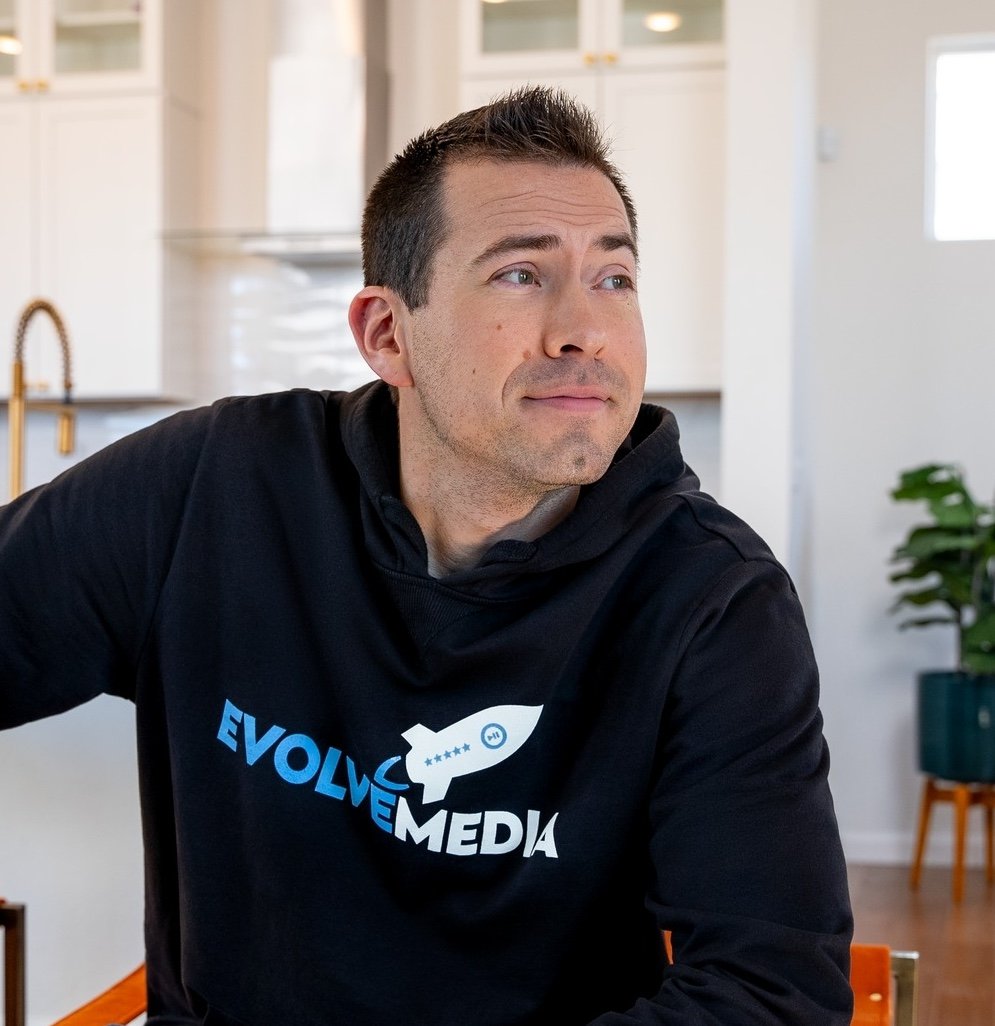
Ian Smith
Founder, Evolve Media Agency
Ian has run Evolve Media Agency since 2017 and has sold on Amazon since 2015. He and Megan run brand management, launches, PPC and in-house photo and video for Amazon, Shopify and TikTok Shop brands, including supplement brands, from Colorado. Questions about this page go straight to him at [email protected].
Common Questions
What is packaging and label design management?
Do I need a new UPC when my packaging changes?
Do I need a new ASIN when I change my label?
How long does it take to update Amazon images after a packaging change?
Who is responsible for checking supplement labels before printing?
What should a printer proof check include?
Does Evolve design packaging and manage label changes?
Plan Your Next Label Change Once
Book a free 30-minute call and bring the change you are planning. We will map every file, listing and image that has to move with it, and quote the design if you want us to do it.
Rather email? Write Ian at [email protected]. Call or text 719-257-3557. Watch our YouTube channel, grab the free Ecom Profit Box guides, or join the newsletter.
Want Ian to Look at Your Brand?
Tell us what you sell and where you are stuck. Ian replies within one business day, and you get an email right away with a link to book a free 30-minute call.
- Brand management, PPC, listings, launches and content
- Amazon, Shopify and TikTok Shop brands
- A real reply from Ian, not a sales bot
Rather talk now? Call or text 719-257-3557 or pick a time on Calendly.